From the first booking to settling up at the end of the month. See everything StudioTrackr does for your studio, with real screens from the app.
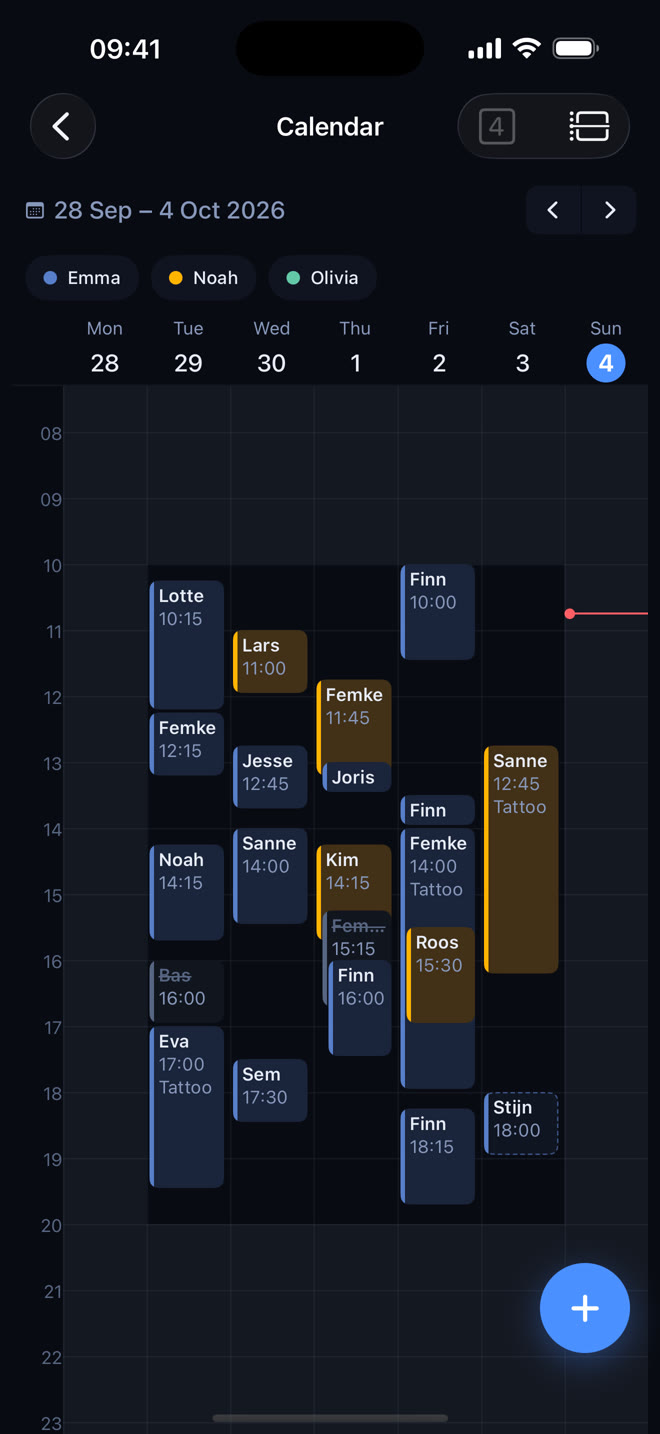
See at a glance who works when, plan new appointments in a few taps and let StudioTrackr find the free slots for you.
Week and day view: every artist in their own colour, with working hours and time off right on the grid.
Plan with one tap: tap an empty spot and the form opens with day, time and artist already filled in.
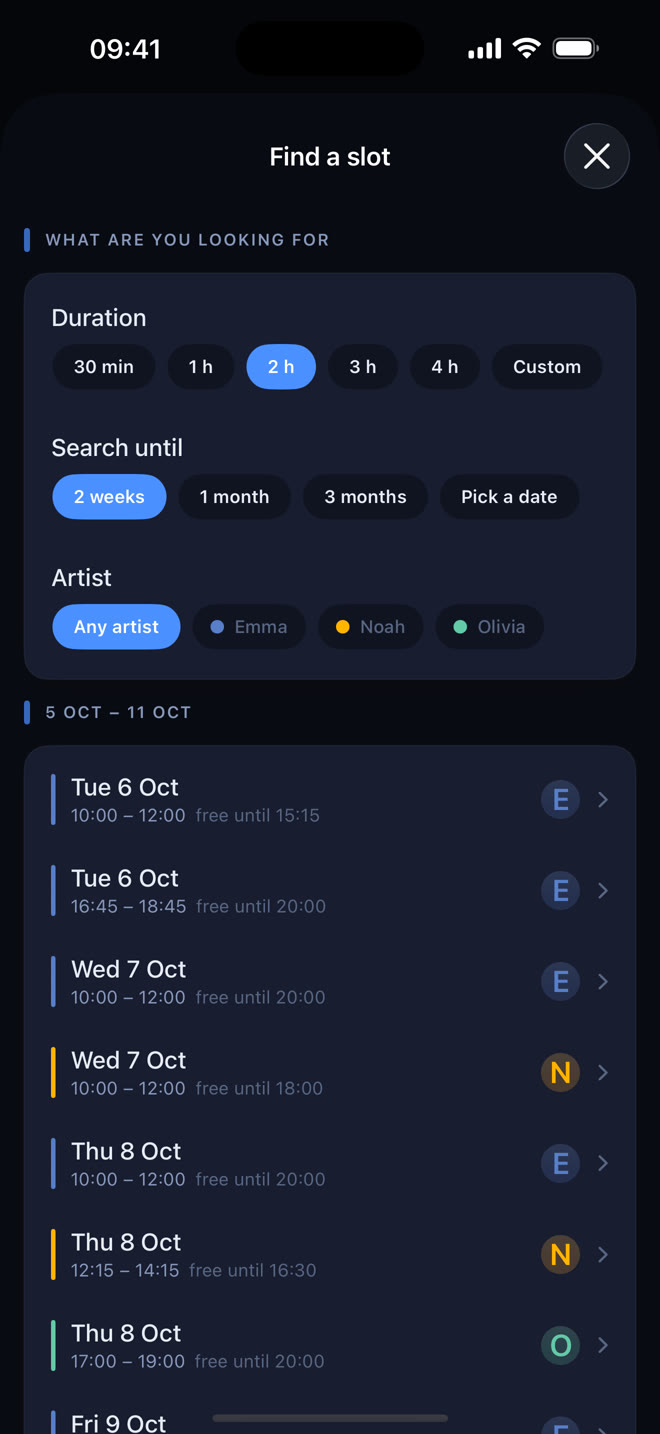
Slot finder: pick how long the session takes and StudioTrackr lists every free slot, taking opening hours, working weeks, time off and breaks into account.
Complete it afterwards: a planned session only gets a price after the appointment, when you enter the payment.
Also in Google Calendar: connect your studio's Google account and every artist sees their own sessions and time off in Google Calendar on their phone. Read-only, and you choose how much of the client's name shows. Read how to put your sessions in Google Calendar.
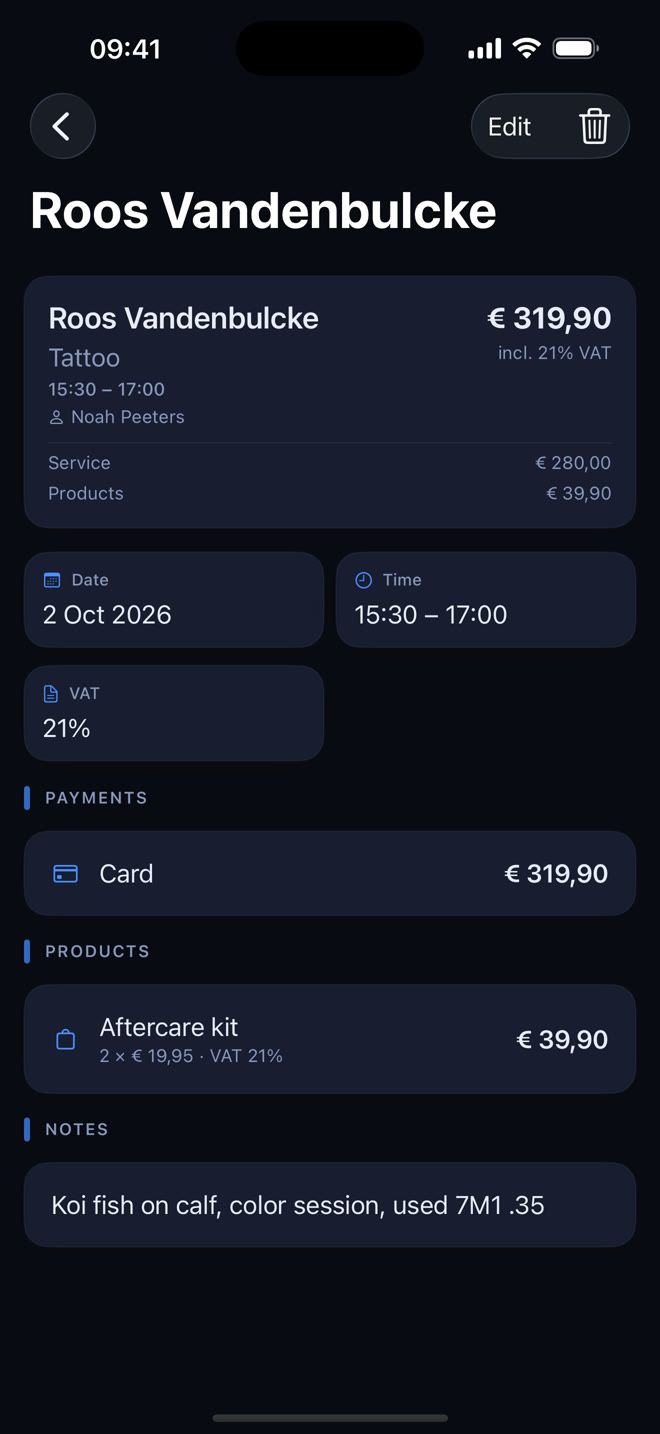
Every session with price, VAT, payment, products and notes. And one list that shows right away what your studio earned.
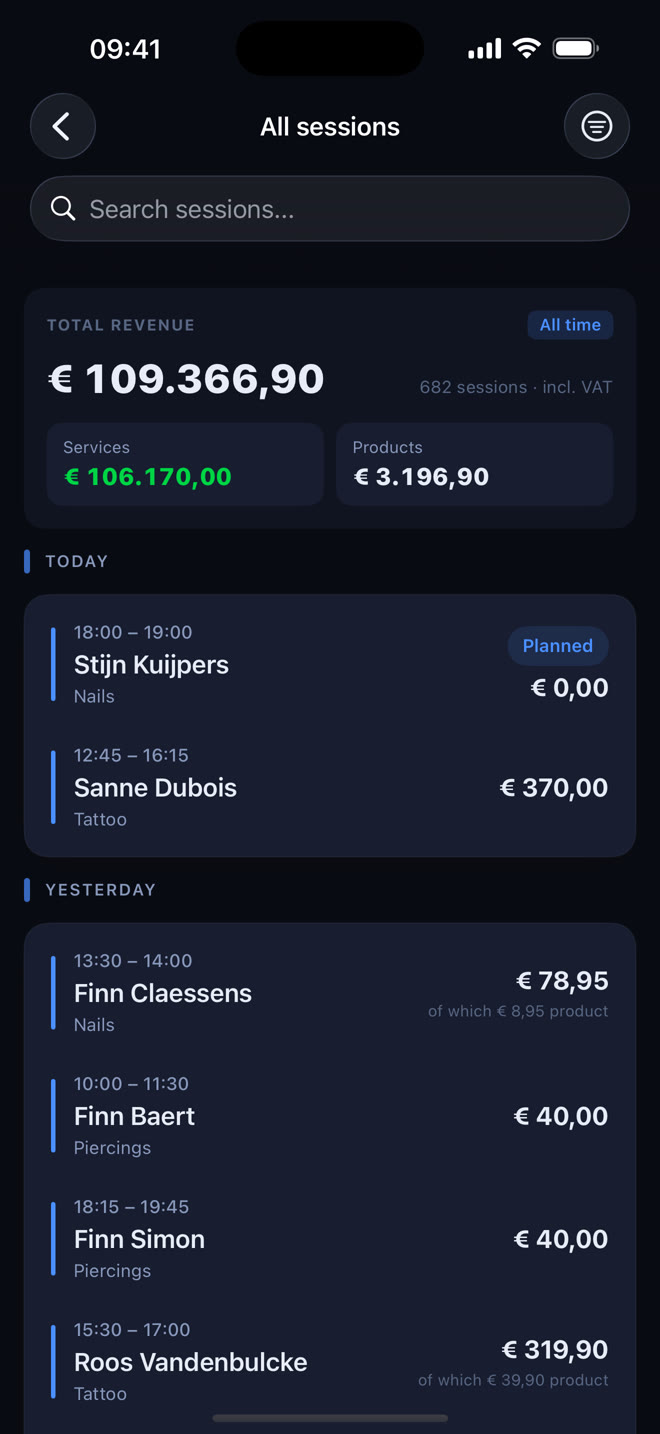
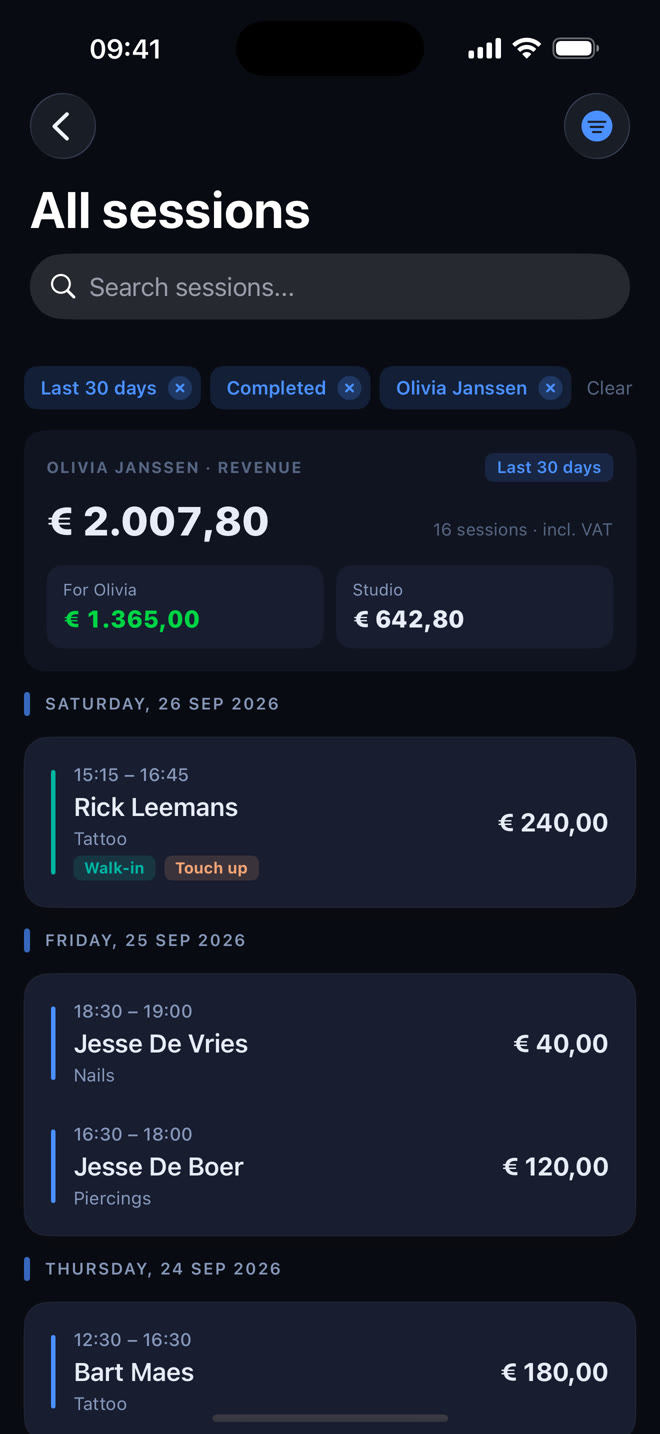
All sessions with your revenue: one list with total revenue, split into services and products.
Filter & search: by period, status, artist, service or tag, in seconds.
Multiple payment methods: record cash, card, Payconiq and bank transfer on one session.
Sell products: sell aftercare products with a session, each at its own VAT rate.
Add clients in the flow: create a new client from the session form without leaving it.
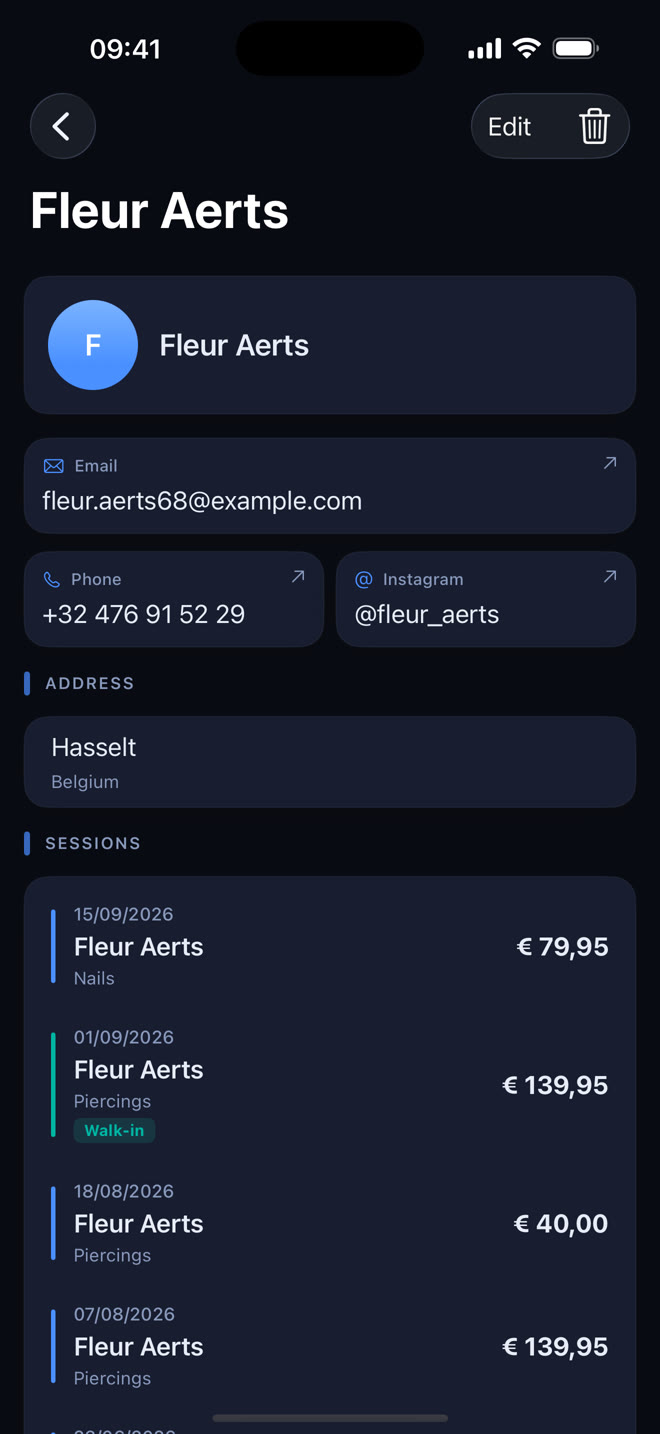
Every contact, every past session and every note in one place. That is how you build a bond with your regulars.
Full client profiles: name, email, phone, Instagram, address and date of birth on one card.
Session history: every past session with the client, with price and tags.
Duplicate warning: get a heads-up when a new client looks like someone already in your records.
Private notes & blacklist: add internal notes and flag problem clients for your team.
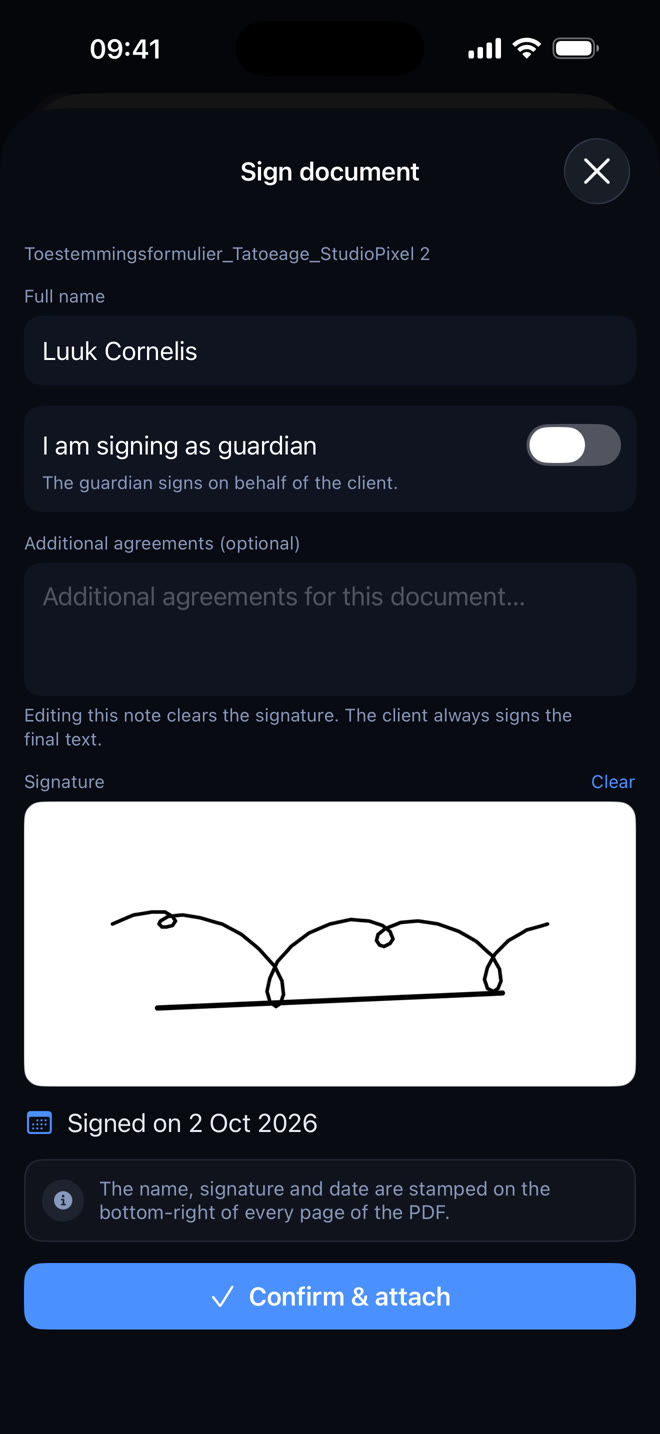
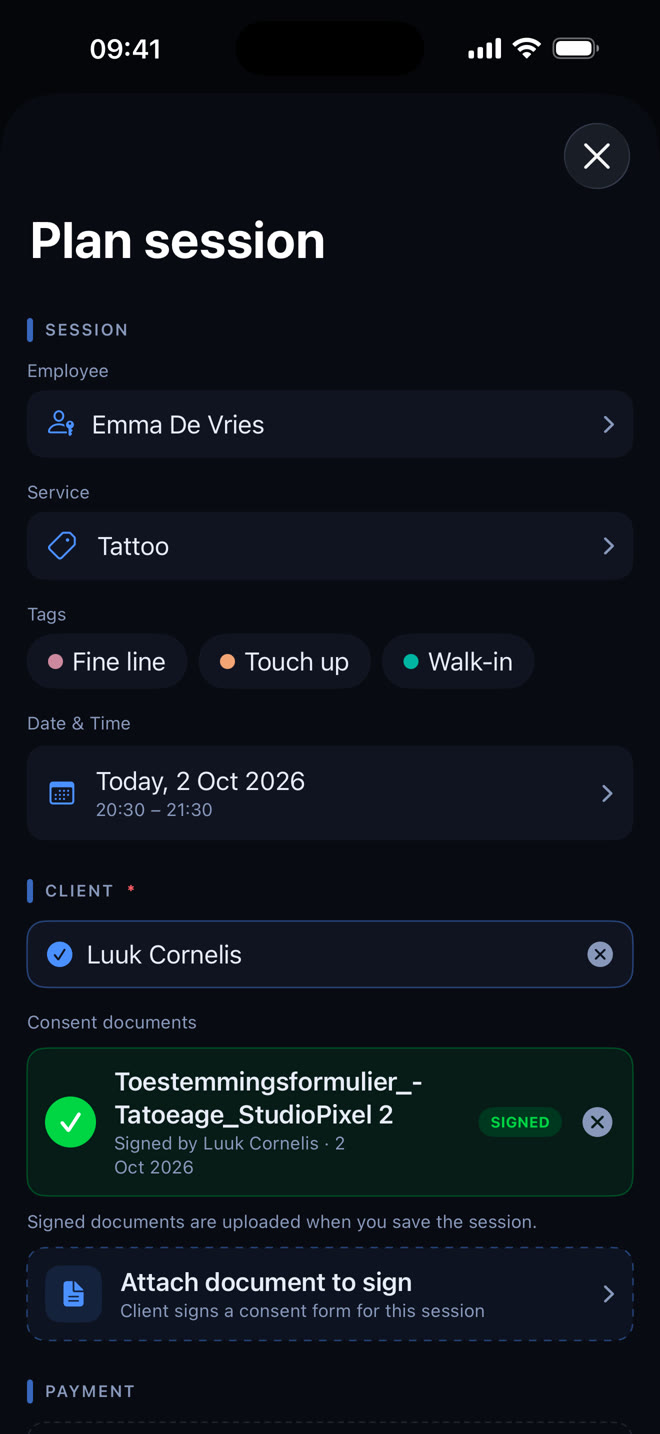
Hand your client the device, let them read and sign, and the document is stored as a PDF with the session. No paper, no scanner, no filing cabinet.
Your own form: upload your consent form as a PDF and use it for every session.
Sign on screen: with a finger or an Apple Pencil, on iPhone or iPad.
Guardian signing: a parent or guardian signs on behalf of the client when needed.
Stamped on every page: name, signature and date on every page of the signed PDF.
Can't be changed: a signed document stays with the session and can no longer be edited.
How to get a consent form signed digitally → What should a consent form include? →
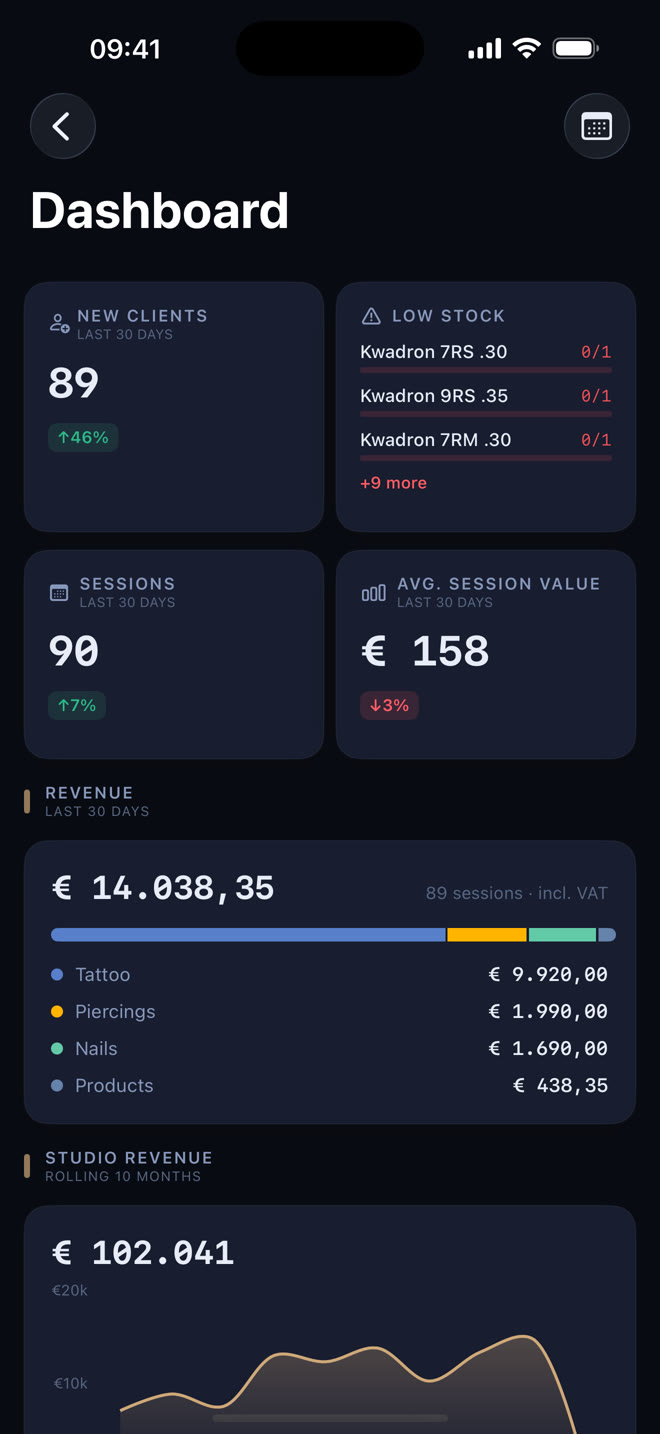
Revenue, new clients, average session value and stock alerts. Your dashboard shows what matters right away.
Key figures for the last 30 days: new clients, sessions and average session value, with the trend next to them.
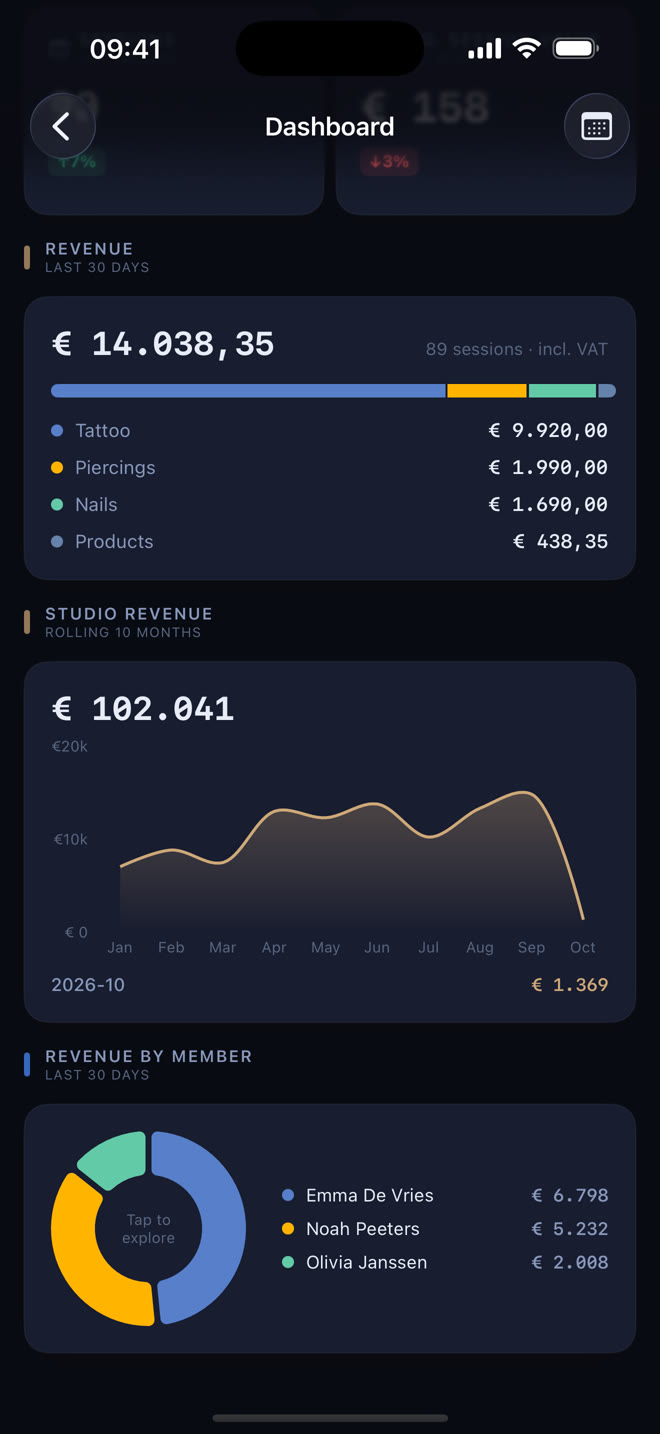
Revenue per service: see what tattoos, piercings and products brought in.
Studio revenue over 10 months: spot seasons and trends.
Revenue by member: see who brought in how much.
Low stock: items below their threshold show up on your dashboard.
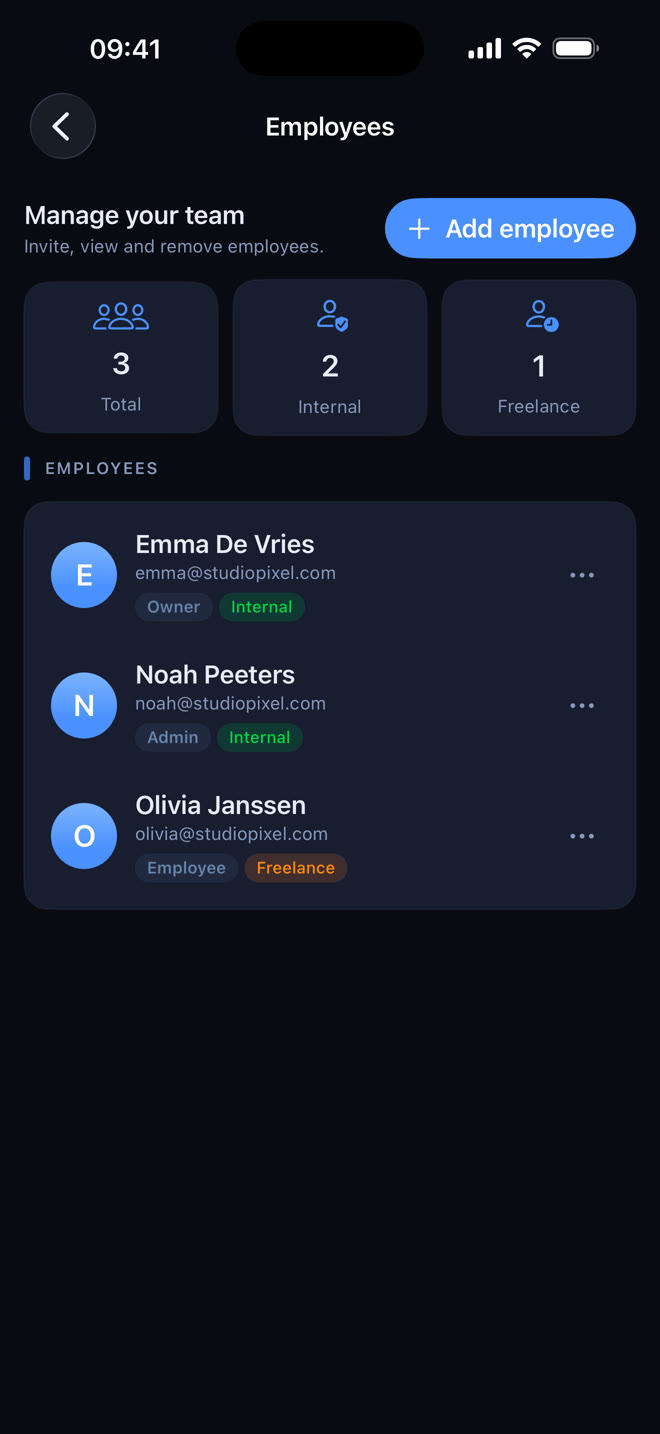
Invite artists, give everyone the right access and let StudioTrackr work out the split between artist and studio.
Invite by email: every artist works with their own login in the same studio.
Internal or freelance: see at a glance who is employed and who is self-employed.
Studio share per artist: the studio's percentage is filled in automatically on every session.
Settle up without the maths: filter on an artist and a period and see right away what is for the artist and what is for the studio.
Every team member gets exactly the access they need, nothing more and nothing less.
The account holder with complete control of the studio, including subscription and billing.
Admins run the studio with the same access as the owner, apart from billing and deleting the studio.
Employees see their own sessions and earnings, with a focused, distraction-free view of their work.
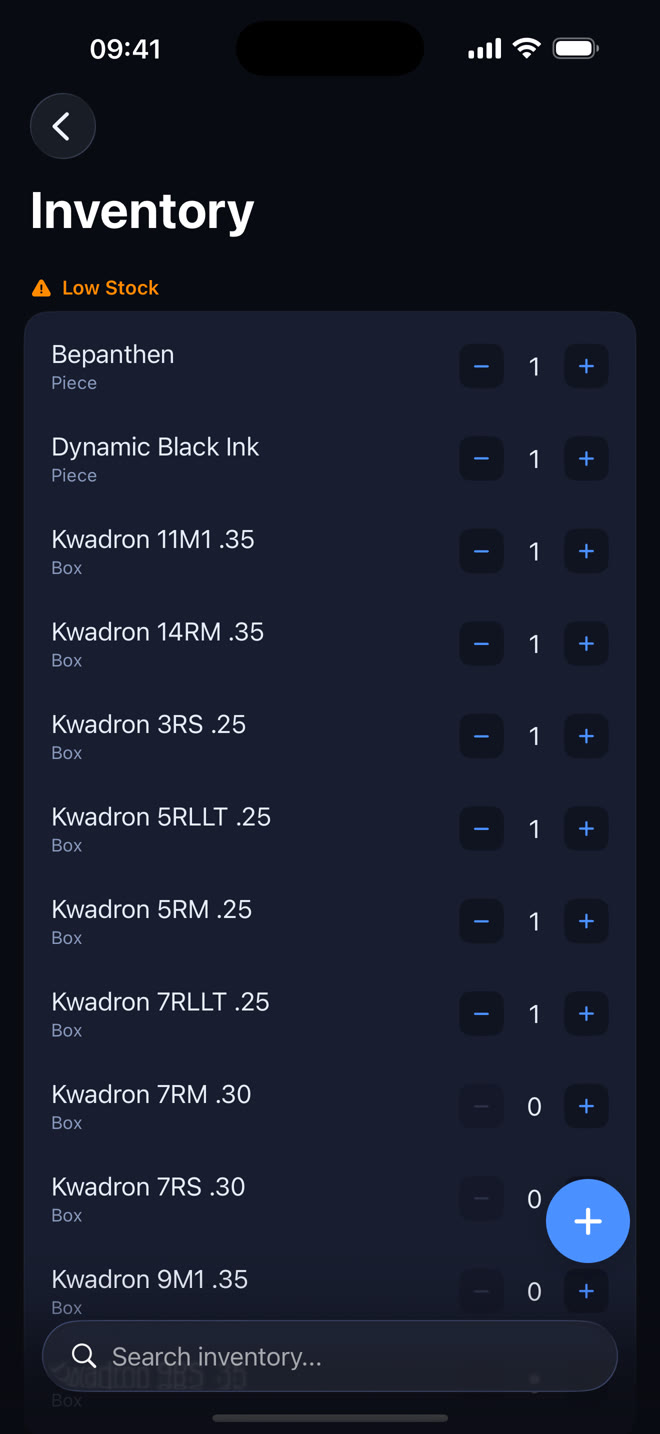
Track every item in your studio, from needles to aftercare products, with stock alerts and one-tap quantity changes.
Quick quantity changes: tap + or − right in the list.
Stock threshold: set a minimum per item and get an alert when stock drops below it.
Supplier & prices: store the supplier and the prices (incl. and excl. VAT) per item.
On your dashboard: low-stock items appear there automatically.
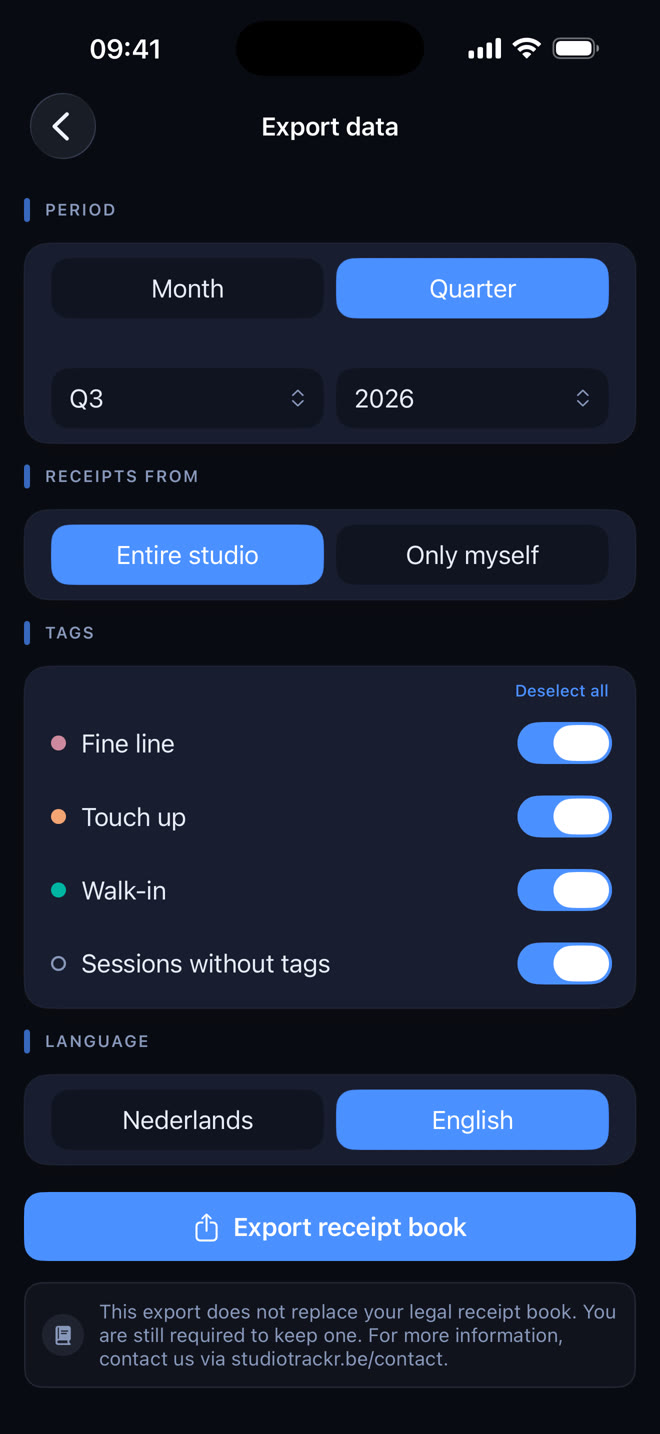
Export your receipts per day as an Excel file: the basis for your daily receipts book (dagontvangstenboek), without the maths.
Per month or quarter: every day is listed, days without receipts included.
VAT per rate: split over 0, 6, 12 and 21 percent, with monthly totals.
Studio or yourself: export the whole studio, or only your own receipts.
Filters and language: pick which tags count and whether the file is in Dutch or English.
The daily receipts book for your studio →
A selection of the smaller features that make StudioTrackr a pleasure to use every day.
Part of more than one studio? Switch between them instantly, each with its own data.
Opening hours, each artist's working week and time off show right on the calendar.
Create your own session tags in any colour. Filter and organise sessions your way.
Record cash, card, Payconiq and bank transfer on one session, split however you like.
Native on every Apple device, with a sidebar on iPad and Mac.
A custom design system with dark and light palettes. Follows your system setting.
Download StudioTrackr from the App Store. Monthly plans start with a 7-day free trial.