Rather watch than read? It all takes 72 seconds.
With StudioTrackr your client simply signs the consent form on your iPhone or iPad. No printer, no folder full of paper, and the document lands on the right session straight away. You set it up once, after that it takes about a minute per client.
Not sure yet what belongs in your form? Read our guide Tattoo and piercing consent form: what should it include? first.
OnceUpload your form
- 1Open Settings → Consent templates and tap Upload.
- 2Pick your form as a PDF (10 MB at most) and give it a recognisable name.
- 3Done. You can rename it later. To change the content, upload a new version.
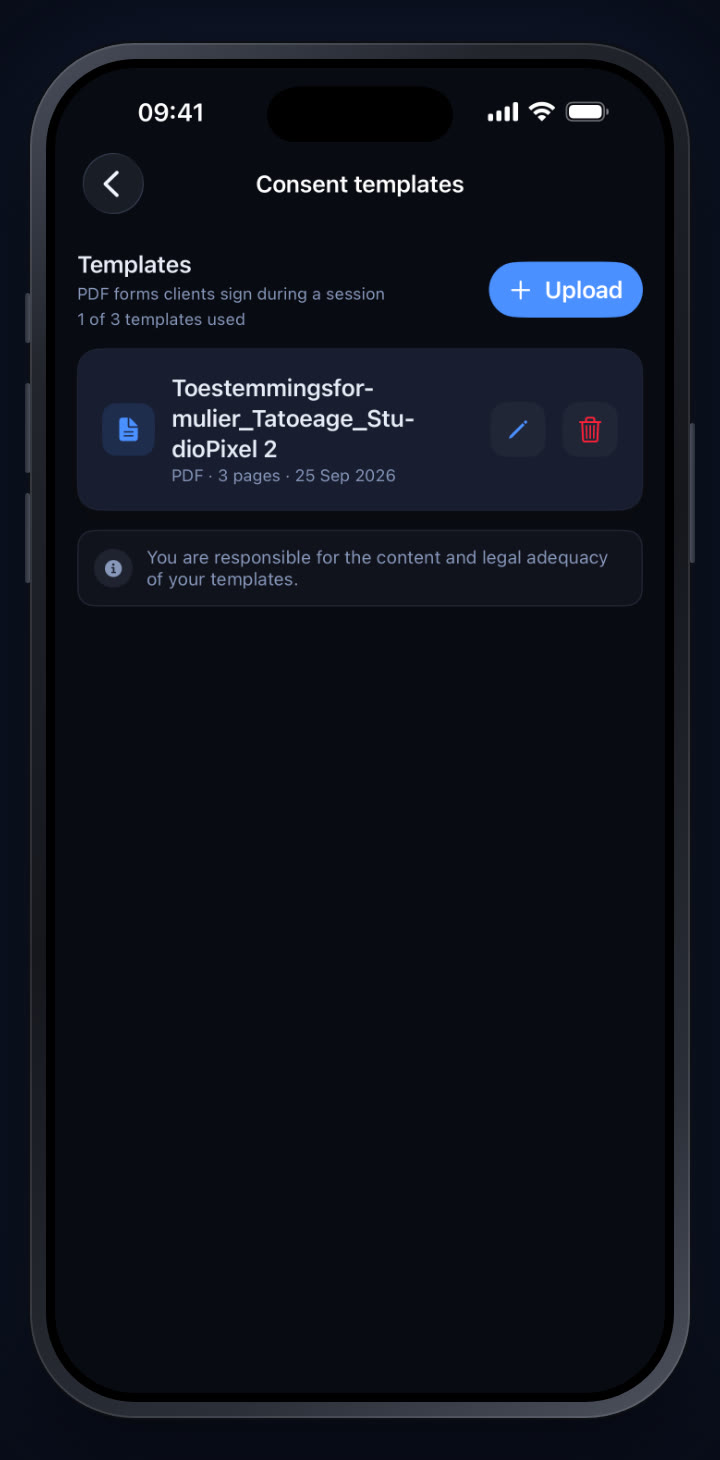
Owners and admins upload templates. Artist includes 1 template, Studio 3 and Business 10.
At the sessionGet it signed
- 1Open the session: a new one, a planned one or one you are completing.
- 2Pick the client first. Only then can you get a document signed.
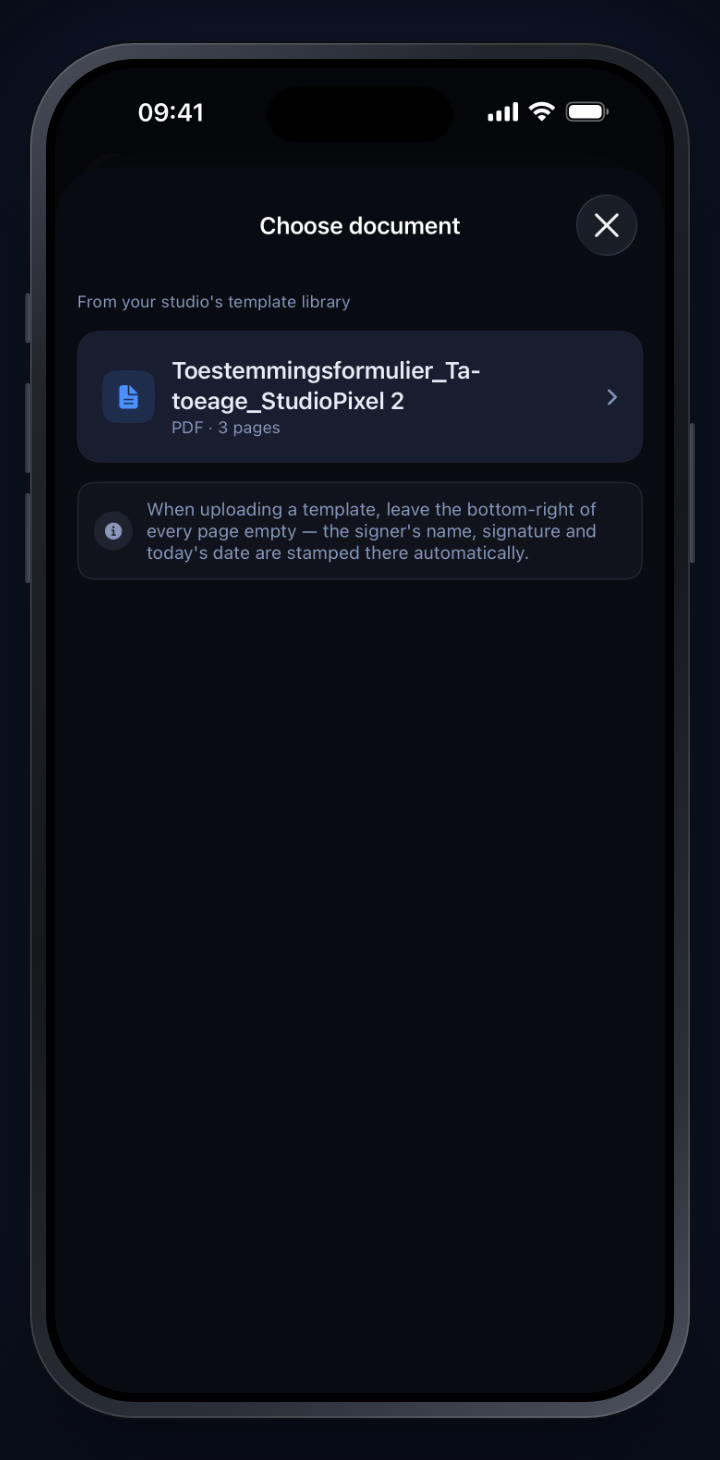
- 3Tap Attach document to sign and pick the form.
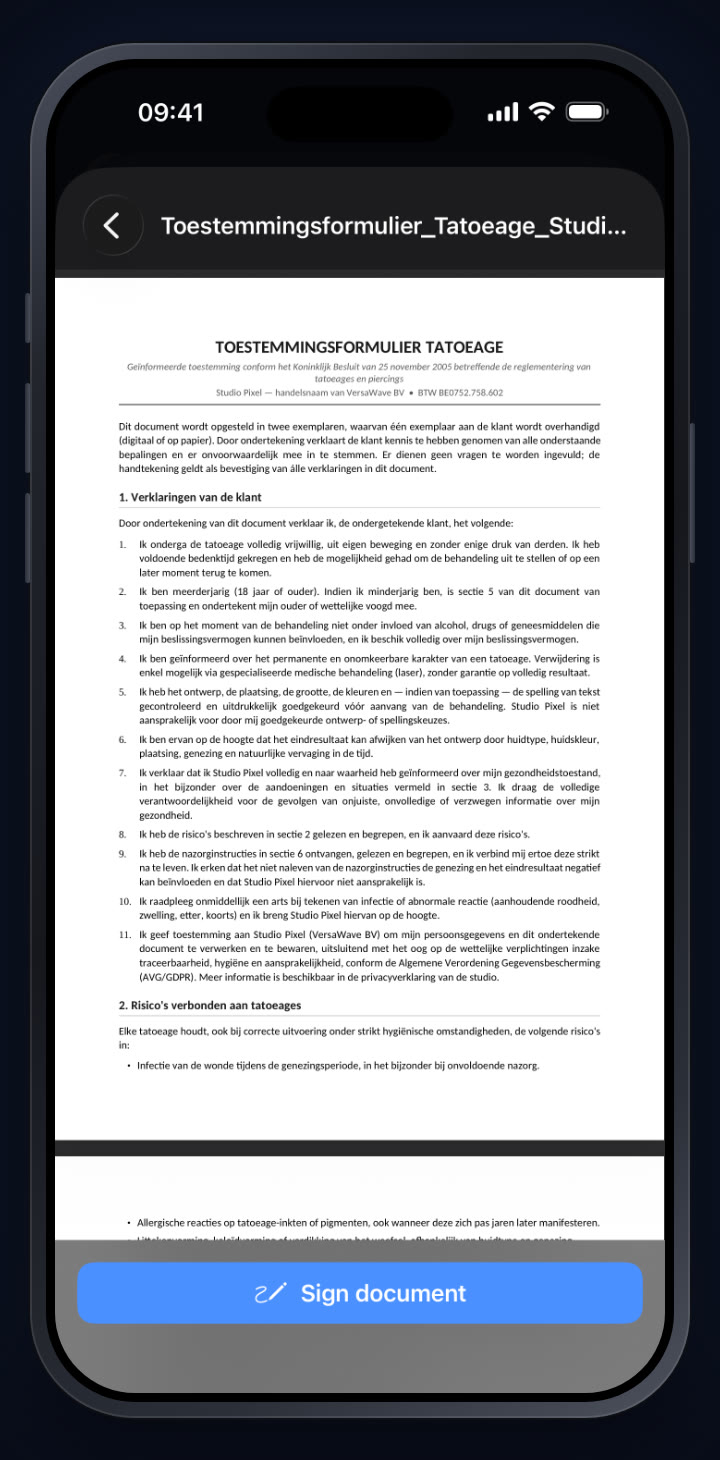
- 4Hand the device to your client. The form opens full screen, so the client can read everything at their own pace.
- 5Tap Sign document once the client has finished reading.
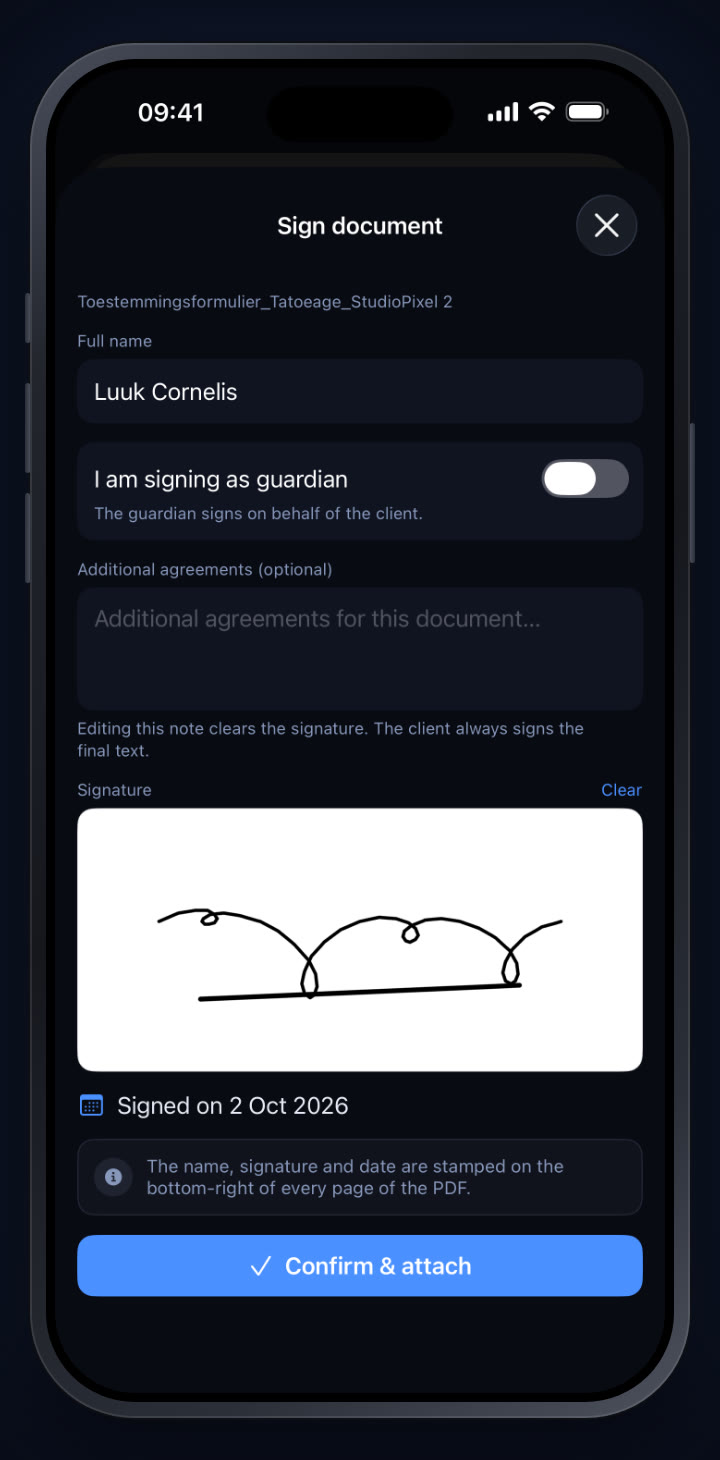
- 6Check the name. It is already filled in with the client's name.
- 7Is a parent or guardian signing? Turn on I am signing as guardian and enter the guardian's name.
- 8Additional agreements are optional. If you edit that text, the signature is cleared: the client always signs the final text.
- 9The client signs with a finger or an Apple Pencil and taps Confirm & attach.
- 10The document shows as Signed on the session.
- 11Save the session. That is when the signed document is stored.
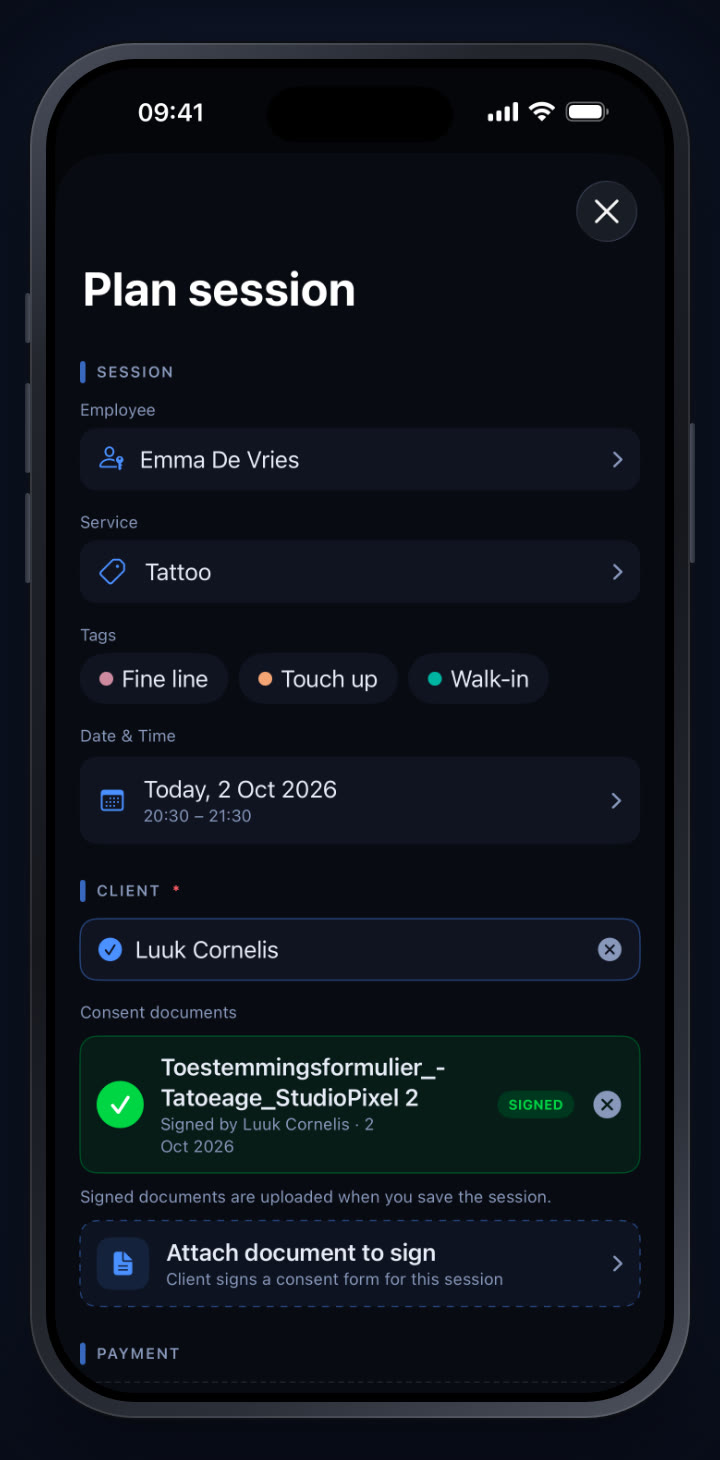
AfterwardsFind it and keep it
- On the session: the signed form sits with the session, where you can open, download or share it.
- On every page you will find the name, signature and date. At the end there is an extra page with the client, who signed, the additional agreements and the time.
- Can't be changed: nobody can edit or delete a signed document. That keeps it reliable proof.
- Per session Artist lets you get 1 document signed, Studio 3 and Business 10.
- Employees get documents signed for their own sessions, and only see those.
No session planned yet? Read how to plan a session in the calendar first.
Curious how a studio works with this? Read our conversation with fine-line tattoo studio Studio Pixel.
Try it yourself in StudioTrackr
Available for iPhone, iPad and Mac. Monthly plans start with a 7-day free trial.