A tattoo or piercing is forever, or close to it. A good consent form makes sure your client knows what they are getting into, and that you can show you gave them that information. This guide covers what belongs in a consent form and how to handle it without paperwork.
Why a consent form?
- Informed consent. The client confirms they know what will happen, what the risks are and how aftercare works.
- Health and safety. With the right questions up front you see in time whether someone should see a doctor first.
- Protection for you. If there is a complaint or a tattoo heals badly, you have in writing what was agreed.
In Belgium, the Royal Decree of 25 November 2005 sets rules for tattooing and piercing, among other things on hygiene and informing your client. Check the current rules, and feel free to refer to them in your form.
What goes in it? A checklist
- Your studio details: name, address and company number.
- The client's details: full name and contact details.
- The procedure: is it a tattoo or a piercing?
- Health questions: allergies (for example to latex, metals or pigments), skin conditions, medication such as blood thinners, diabetes, epilepsy, heart conditions, pregnancy or breastfeeding.
- Client statements: of age (or with consent from a parent or guardian), not under the influence of alcohol or drugs, and aware that the result is permanent.
- Design checked: the client has checked and approved the design, placement and spelling.
- Risks: for example infection, allergic reactions, scarring and fading or blurring.
- Aftercare: the client has received and understood the aftercare instructions.
- Photos: may you photograph the result and share it on your website or social media?
- Privacy: how you store the data and what you use it for.
- Signature and date of the client, or of the parent or guardian.
Underage clients
For an underage client you need consent from a parent or guardian, and some procedures come with extra restrictions. Know the rules that apply to you, and in that case have the parent or guardian sign, stating who is signing.
Storage and privacy
Under GDPR, health data is sensitive data. Store completed forms securely, no longer than necessary, and make sure only the right people can access them. A pile of paper in an open cabinet at the front desk is not a good idea.
Paper or digital?
Paper works, but it gets lost, it isn't always legible and it has to be stored somewhere safe. In StudioTrackr your client signs your own form digitally on iPhone or iPad.
- 1You use your own text. You upload your form as a PDF. StudioTrackr does not provide a standard text, because you are responsible for the content.
- 2The client reads and signs on screen, with a finger or an Apple Pencil, also as a parent or guardian.
- 3Name, signature and date are stamped on every page, plus an extra page with the signing details.
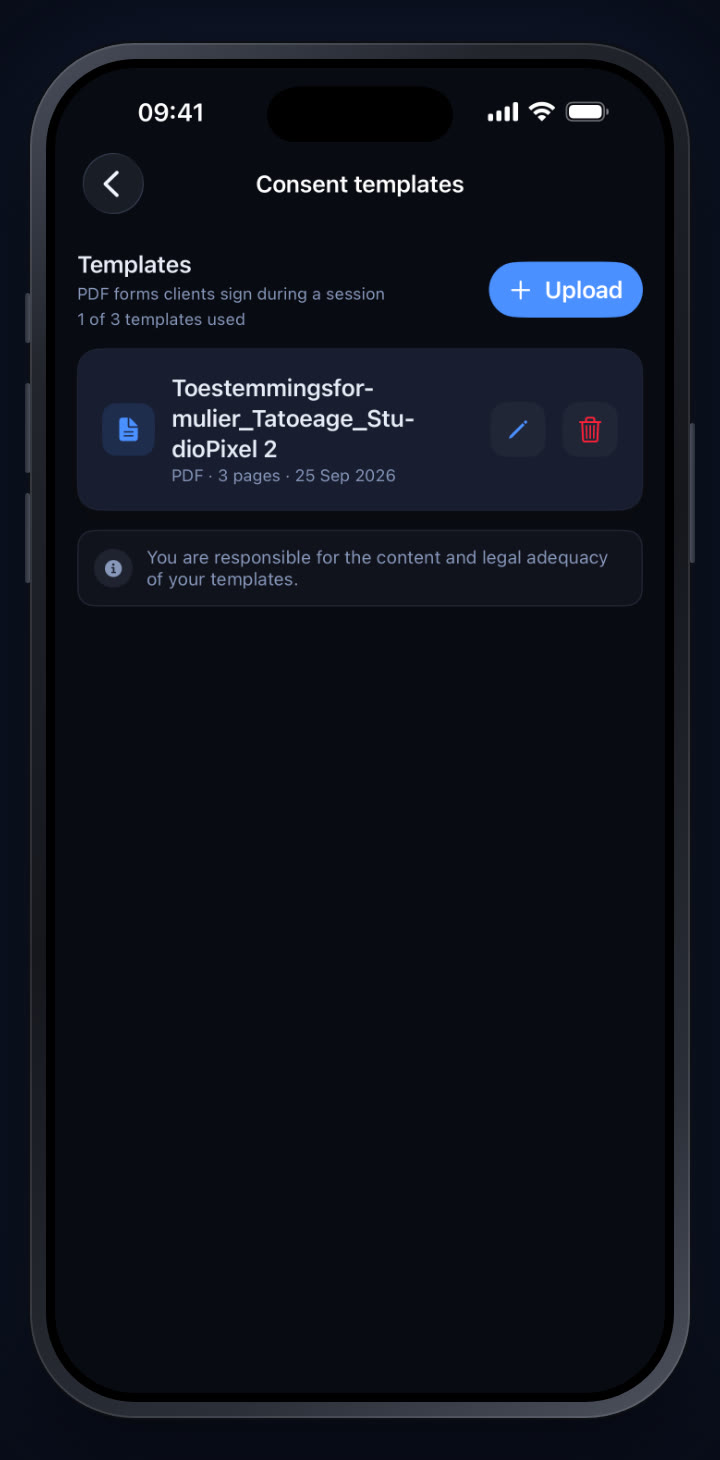
- 4The signed document is stored with the session and can no longer be changed or deleted afterwards.
- 5Employees only see the documents of their own sessions. Read more about roles in our guide to running a tattoo studio with multiple artists.
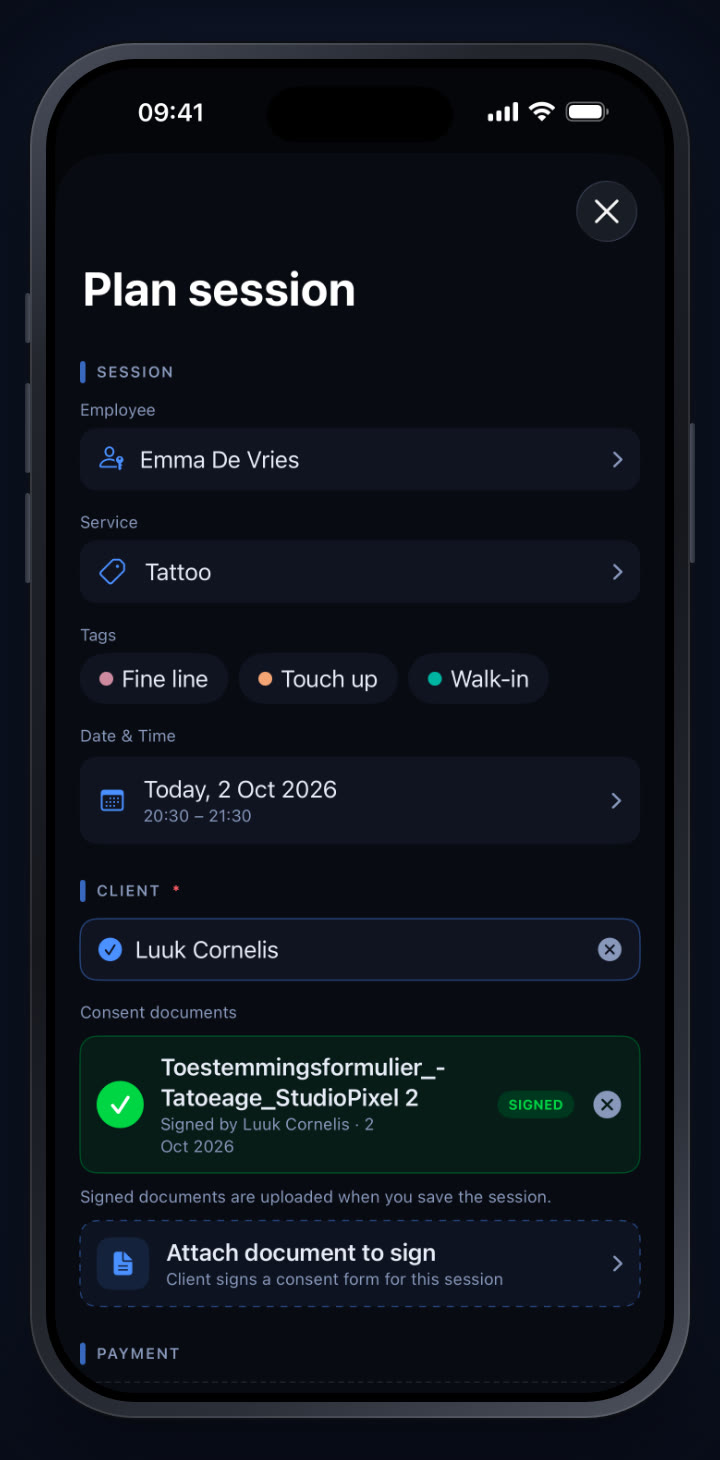
For the step-by-step, read our how-to How to get a consent form signed digitally. To see what it looks like in practice, read our interview with Studio Pixel, a fine-line tattoo studio.
Try it yourself in StudioTrackr
Available for iPhone, iPad and Mac. Monthly plans start with a 7-day free trial.